Supplier Quotation Admin
The Supplier Quotation module allows the admin to receive, review, and compare quotations submitted by suppliers in response to a Request for Quotation (RFQ). It plays a crucial role in selecting the best supplier based on pricing, quality, and delivery terms.
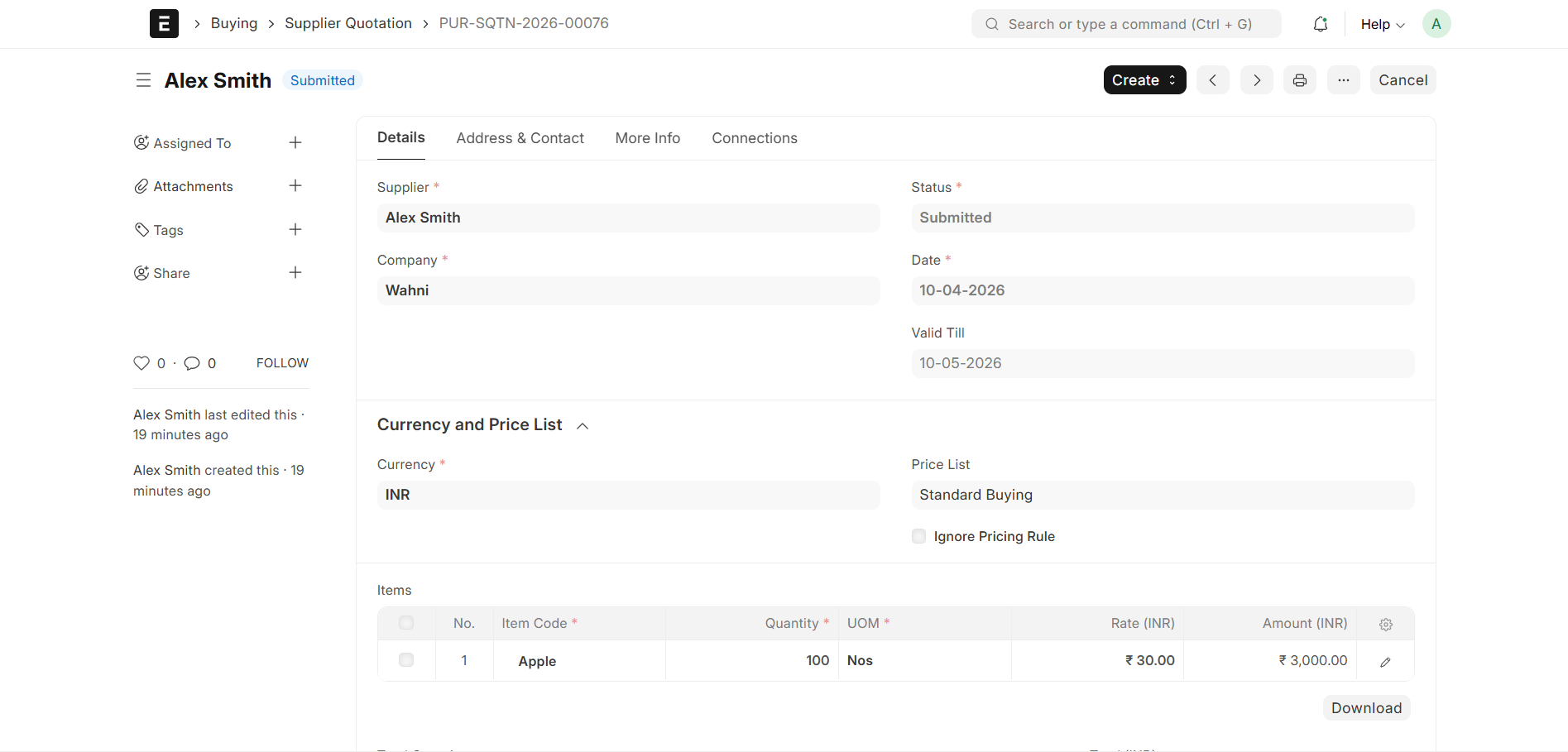
Supplier Quotation Creation
- Supplier quotations are created:
- By suppliers via the Supplier Portal
- Each quotation is linked to a Request for Quotation (RFQ)
- Contains item pricing and supplier-specific terms
Admin Review Process
Once quotations are submitted:
- Admin can view all supplier quotations
- Compare:
- Prices
- Delivery schedules
- Terms & conditions
Supplier Quotation Details
Each Supplier Quotation contains:
- Quotation ID → Unique identifier
- Supplier Name → Supplier who submitted the quote
- RFQ Reference → Linked RFQ document
- Transaction Date → Date of submission
- Items → Quoted items list
- Rate → Price per item
- Quantity → Offered quantity
- Total Amount → Calculated total
- Schedule Date → Delivery commitment
Quotation Comparison
- Admin can compare multiple supplier quotations
- Helps in:
- Identifying lowest price
- Evaluating best delivery time
- Selecting optimal supplier
Creating Purchase Order
Once the best quotation is selected:
- Open the Supplier Quotation
- Click on the Create button
- Select Purchase Order
What Happens Next
- A new Purchase Order (PO) is automatically created
- Supplier details and item data are fetched from the quotation
Purchase Decision
- Based on comparison, Admin can:
- Approve the best quotation
- Convert it into a Purchase Order (PO) using the Create button
Purpose
- Enable supplier participation in procurement
- Ensure competitive pricing
- Maintain transparency in supplier selection
- Support informed purchasing decisions