Payments
Managing Pending Payments
Open Sidebar → Payment.
this section allows you to create and manage pending payment entries for each customer.
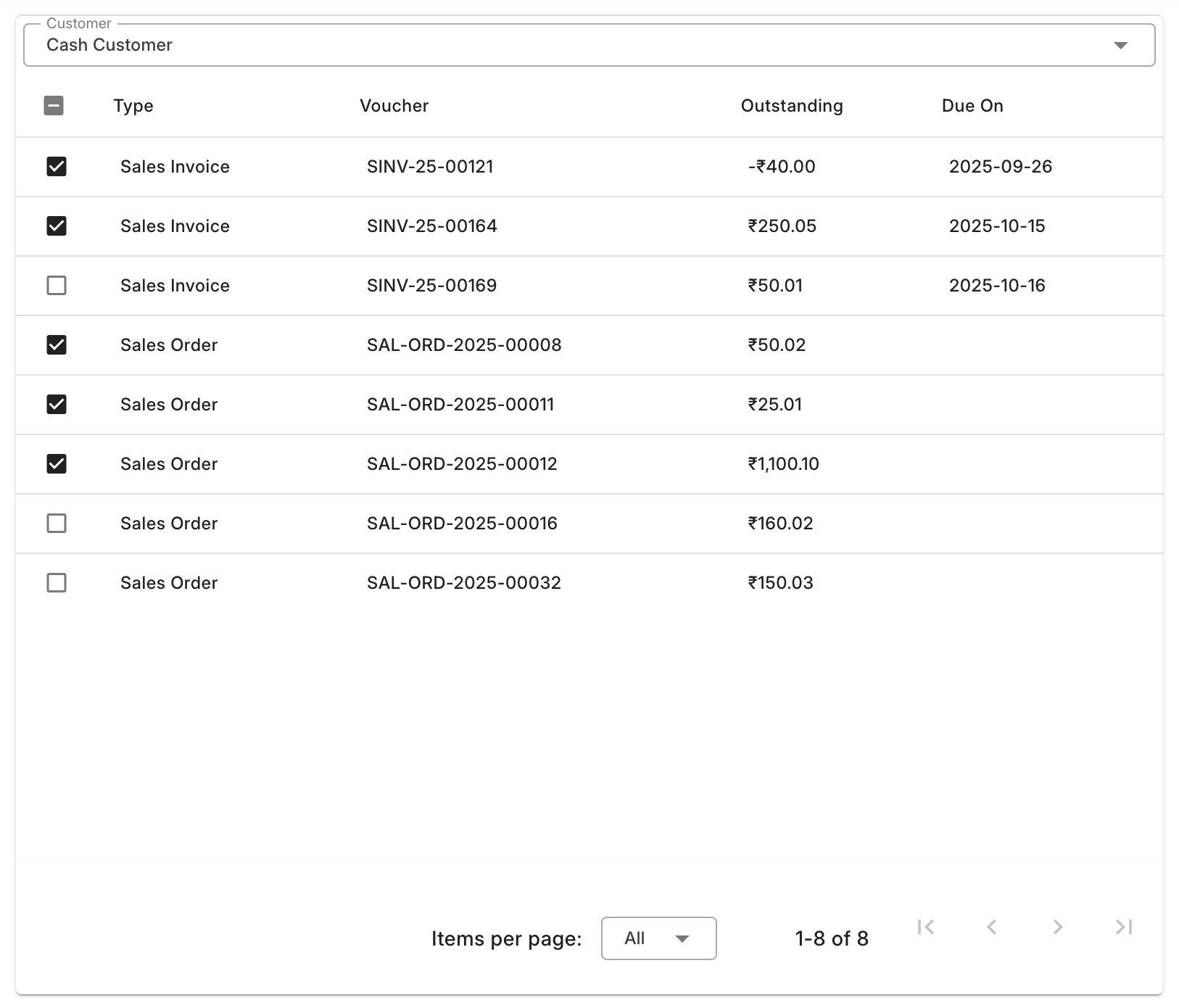
- Select a Customer from the list.
The left side will display:
- All pending invoices.
- Outstanding sales orders with pending amounts.
Select the entries you want to pay.
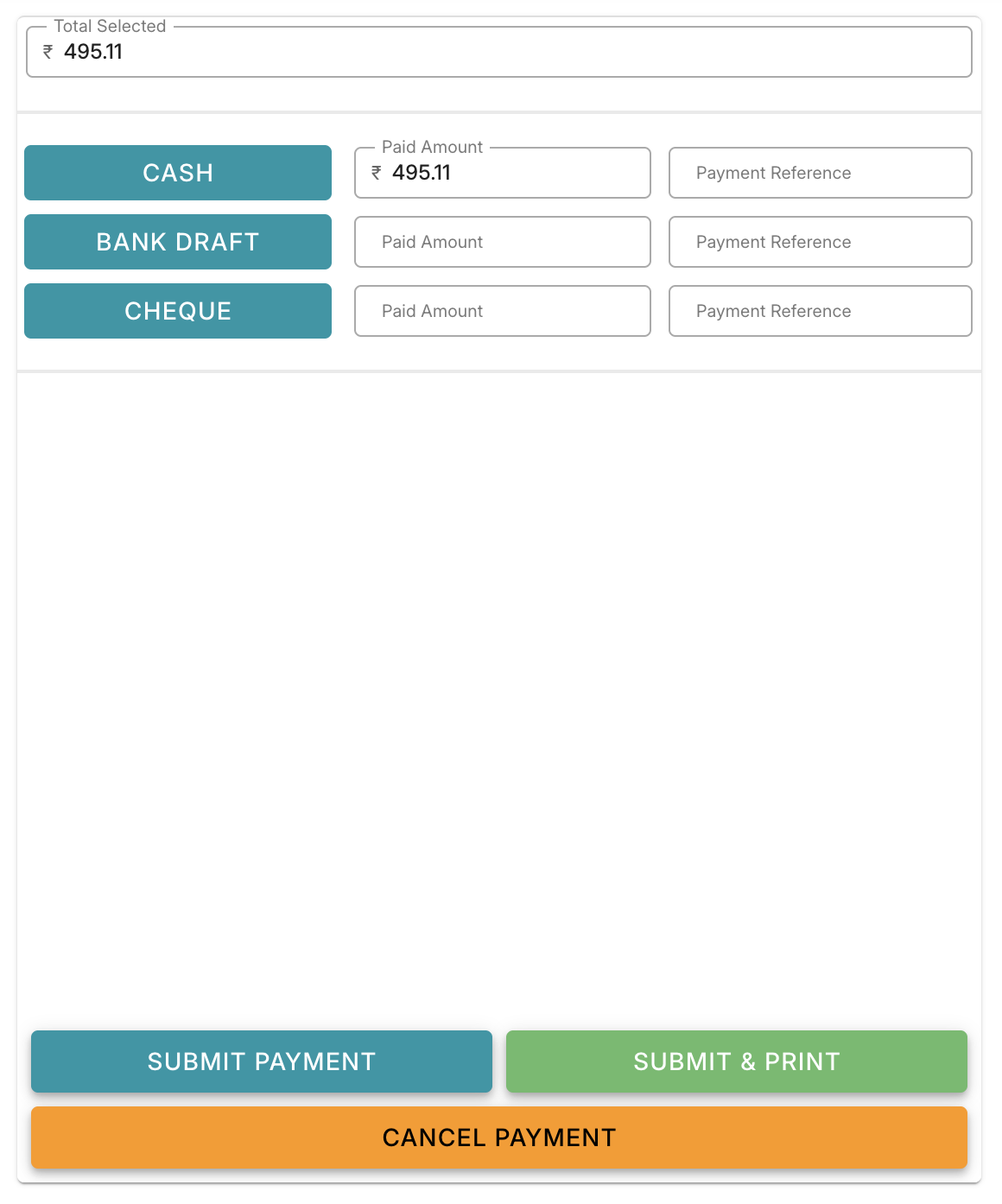
- On the right side, you’ll see the total amount for the selected entries.
- Choose the Payment Type.
- Enter the payment amount you are receiving.
- Click Submit to create the payment entries and mark the invoices as paid.
Once submitted, all selected invoices and orders will be updated with the new payment status.