Stock
Stock Request from Another Warehouse
The stock from the sidebar section it allows you to request items from other warehouses.
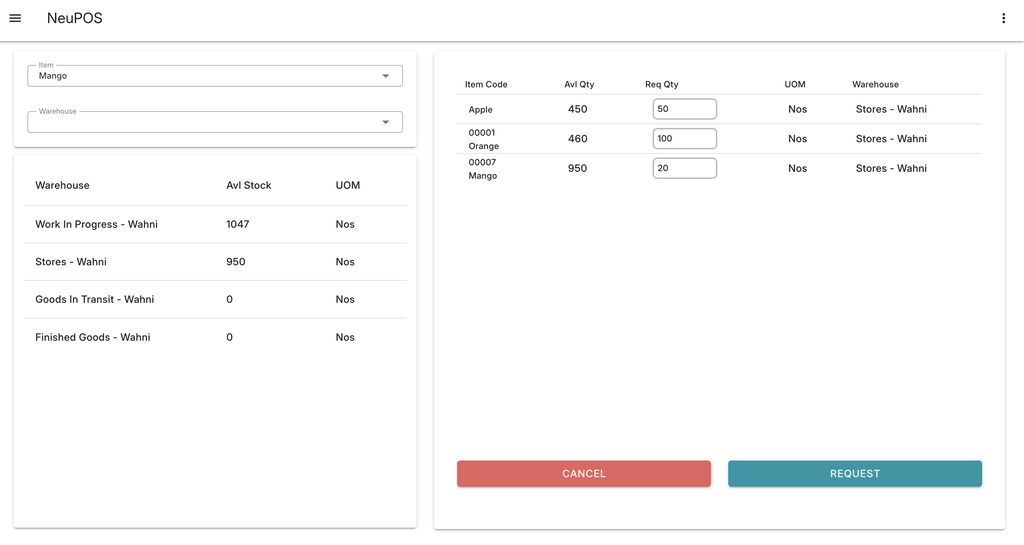
- Select the item you want to request.
- Here you can see the total stock of the item across all warehouses.
- Click on the warehouse from which you want to request the stock.
- The selected item and warehouse will appear on the right side, as shown in the image.
- Adjust the requested quantity based on your needs.
- Click Request.
This action creates a transfer request in the system, notifying the other warehouse about the stock you need.