Features
Loyalty Program
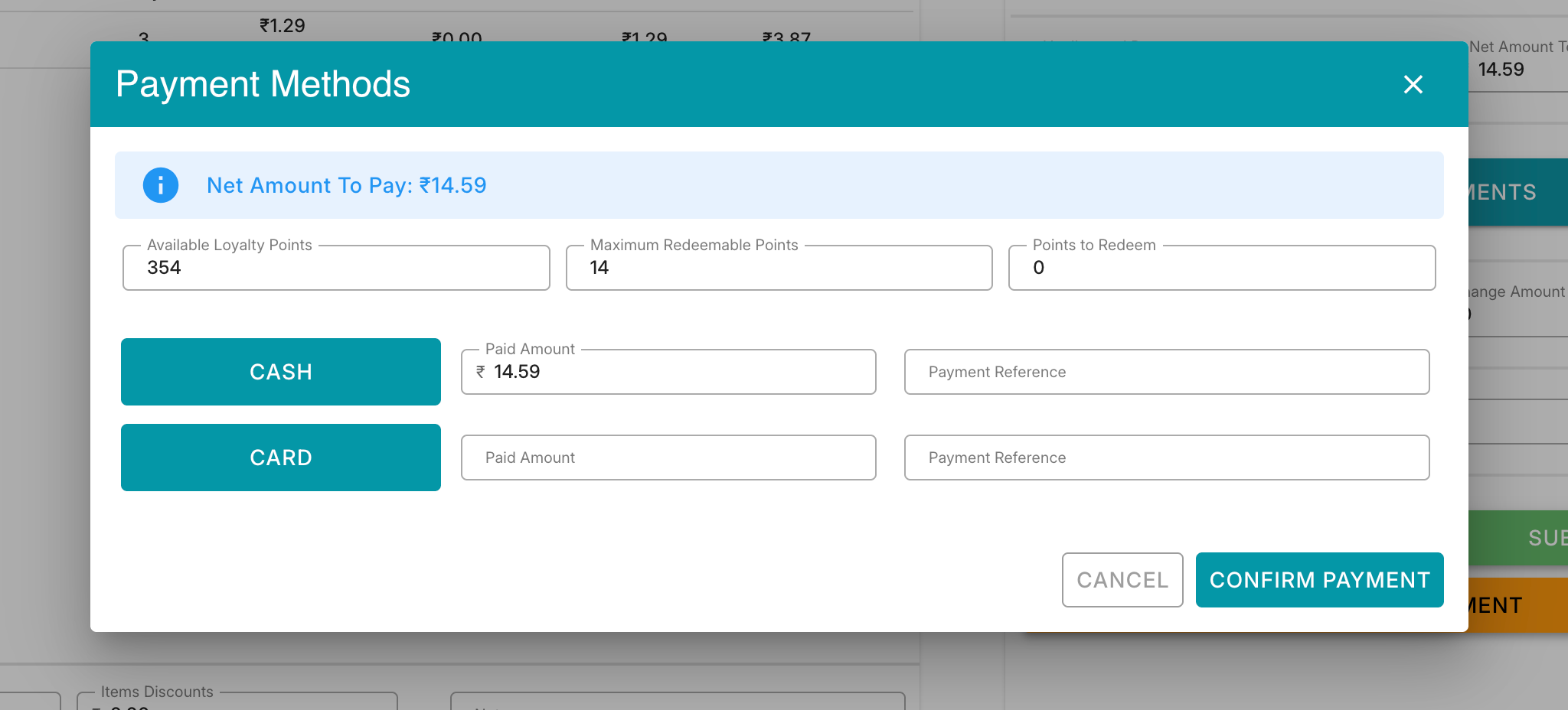
The Loyalty Program allows customers to redeem earned loyalty points during checkout. The payment dialog displays the customer's available points, the maximum points that can be redeemed for the current transaction, and the number of points the customer chooses to redeem.
Available Loyalty Points
Displays the total loyalty points currently available in the customer's account.
Example:
Available Loyalty Points: 354 The customer has accumulated 354 points from previous purchases.
Maximum Redeemable Points
Displays the maximum number of points that can be redeemed for the current invoice.
This value is calculated based on:
Net payable amount Loyalty redemption rules configured in the system Point-to-currency conversion settings
Example:
Invoice Amount: ₹14.59 Maximum Redeemable Points: 14
This means the customer can redeem up to 14 points for this transaction.
Points to Redeem
Input field where the cashier enters the number of loyalty points the customer wishes to use.
Pricing Rule
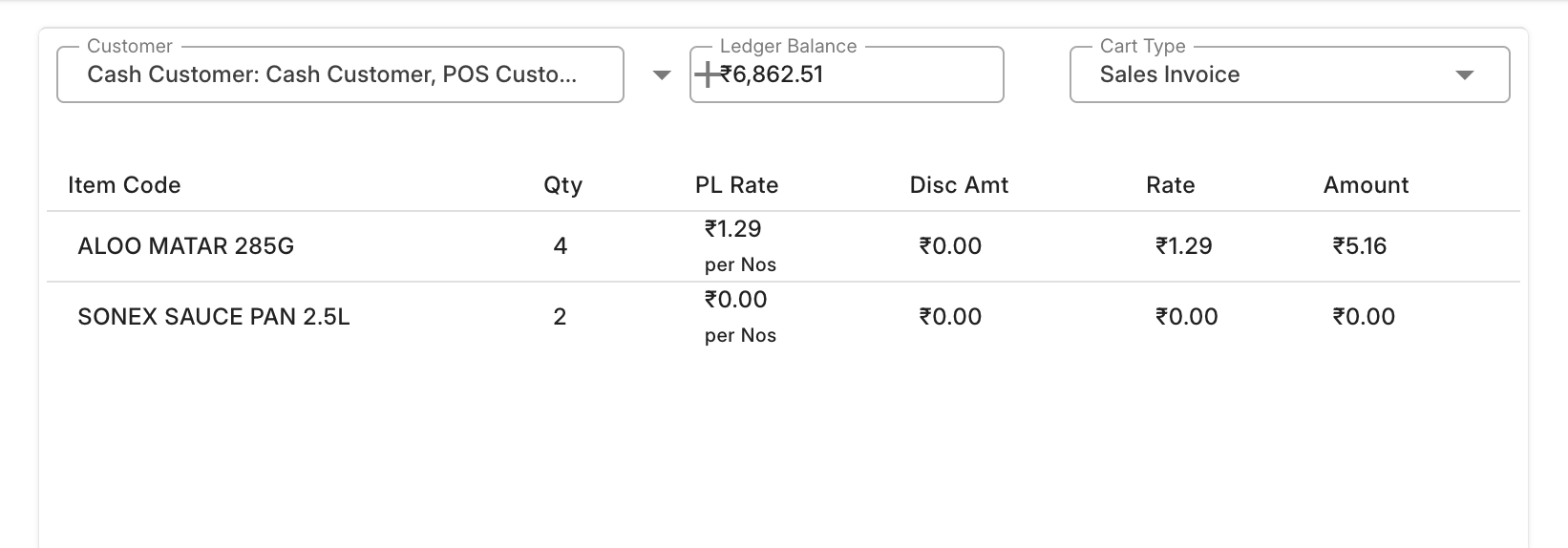
Pricing Rules are automatically applied during POS transactions when the configured conditions are met. The system supports both Free Item Promotions and Discount-Based Promotions.
Free Item Promotions
Pricing rules can be configured to automatically add free items based on:
Item Quantity – Free items are added when the customer purchases the required quantity of a specific item.
Transaction Amount – Free items are added when the cart value reaches the configured purchase amount.
Once the qualifying condition is met, the free item is automatically fetched and added to the cart.
Discount-Based Promotions
Pricing rules can also apply discounts based on configured conditions. The discount can be applied in the following ways:
Rate Discount
Overrides the item's selling rate with a predefined rate.
Percentage Discount
Applies a percentage-based discount to the item or transaction value.
Amount Discount
Applies a fixed discount amount to the item or transaction.
Supported Conditions
Pricing rules can be configured based on:
Item Item Group Quantity Transaction Amount Customer Customer Group Territory Campaign Other standard ERPNext pricing rule criteria Automatic Application
The system automatically evaluates applicable pricing rules whenever items are added, updated, or removed from the cart. Eligible discounts or free items are applied instantly without manual intervention.