Request For Quotation Admin
The Request for Quotation (RFQ) module allows buyers to invite suppliers to submit quotations for required items. It plays a key role in the procurement process by enabling competitive pricing and supplier comparison.
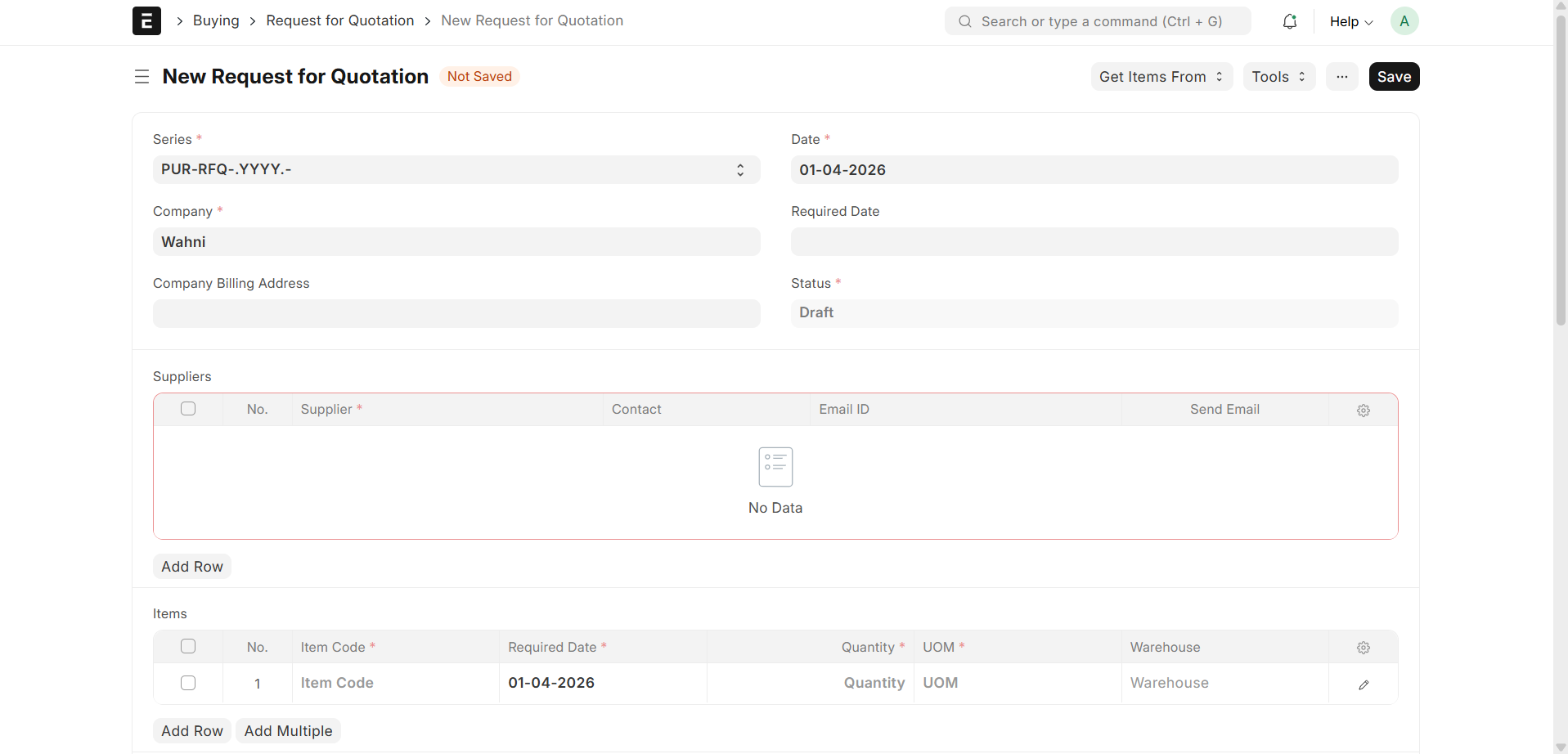
RFQ Creation
- Admin or Purchase User creates a new Request for Quotation
- Adds required item details
- Specifies quantity and delivery requirements
Supplier Selection
During RFQ creation, suppliers must be selected.
Important Note
- Only Active and Approved Suppliers are available for selection
- Suppliers must complete:
- Registration
- Approval Workflow
- User Activation
How to Select Suppliers
- Navigate to RFQ Form
- In the Suppliers Section:
- Add one or multiple suppliers
- Select from the supplier list
Supplier Eligibility
A supplier will appear in RFQ selection only if:
- Supplier is Created (Supplier Master exists)
- Supplier is Approved
- Supplier user is Enabled
RFQ Details
Each RFQ contains:
- RFQ ID → Unique identifier
- Transaction Date → RFQ creation date
- Company → Organization issuing RFQ
- Items → List of requested items
- Quantity → Required quantity
- Schedule Date → Expected delivery date
Sending RFQ
- RFQ can be sent to selected suppliers
- Suppliers receive notification (Email / Portal)
Supplier Response
- Suppliers log in to the Supplier Portal
- View assigned RFQs
- Submit quotations
RFQ Status Flow
- Draft → RFQ created but not sent
- Sent → RFQ shared with suppliers
- Received → Quotations received
- Closed → RFQ process completed
Purpose
- Enable competitive supplier bidding
- Ensure transparent procurement process
- Select best supplier based on pricing and terms
- Streamline purchase decision-making