Concern
The Concern module allows suppliers to raise, track, and manage issues or queries related to their transactions through the Supplier Portal.
It provides a centralized view of all concerns raised across Purchase Orders, Purchase Invoices, RFQs, Supplier Quotations, and Payment Entries — along with priority, status, and resolution details — all in one place.
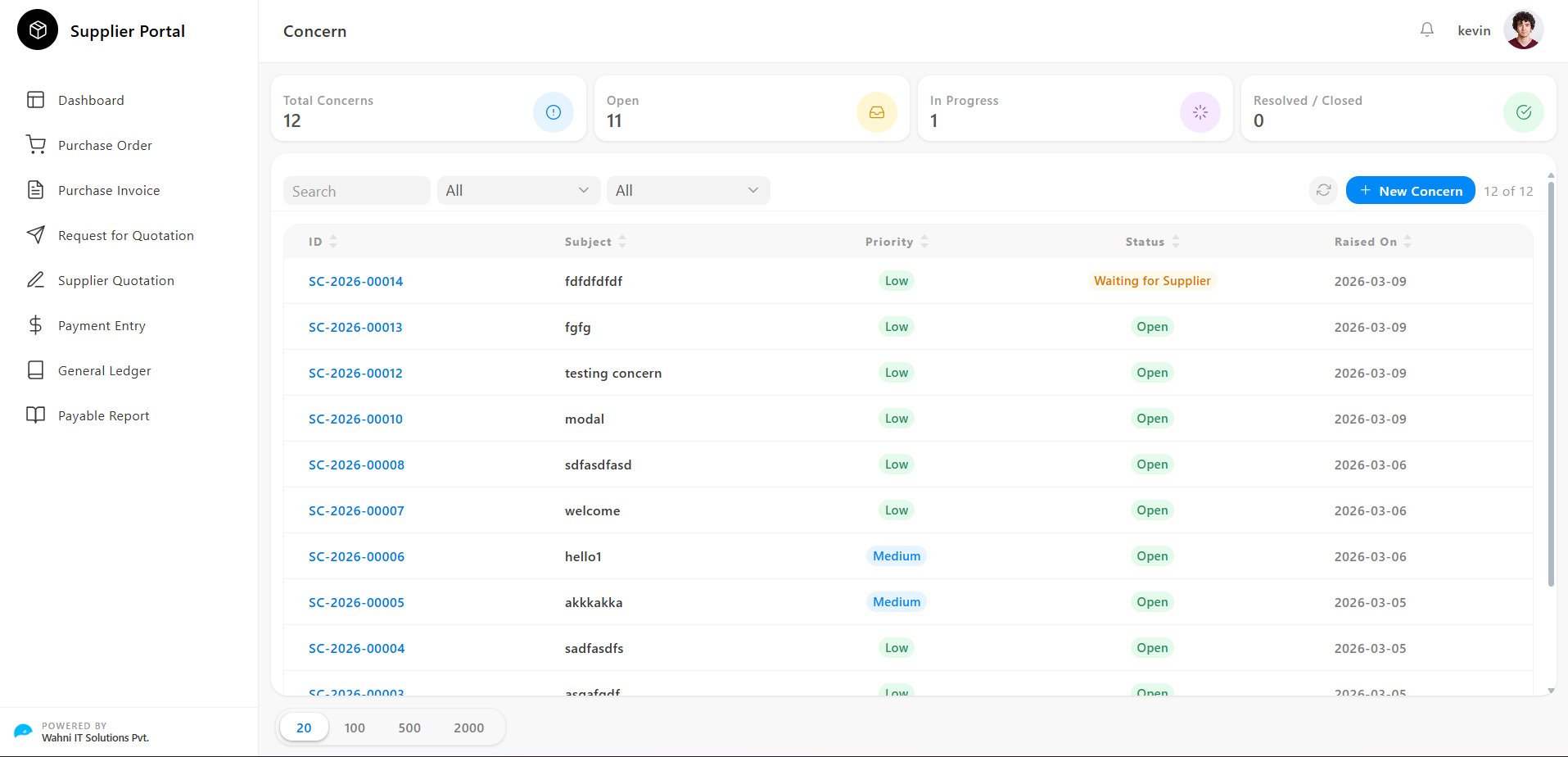
Concern Overview
The Concern page gives suppliers a real-time summary of all concerns along with tools to search and filter them efficiently.
Key Metrics
At the top of the page, summary cards display important concern data:
- Total Concerns Shows the total number of concerns raised
- Open Displays concerns awaiting action
- In Progress Shows concerns currently being reviewed
- Resolved / Closed Displays concerns that have been completed
Filtering and Searching Concerns
Suppliers can narrow down the concern list using the following filters:
- Search → Search by subject or keyword
- Priority Filter → Filter by priority:
- All
- Low
- Medium
- High
- Status Filter → Filter by status:
- All
- Open
- In Progress
- Waiting for Supplier
- Resolved / Closed
The result count (e.g., 12 of 12) is displayed on the right side.
New Concern
Located at the top-right of the page:
- + New Concern → Create a new concern directly
Concern List
All concerns are displayed in a table format with the following columns:
- ID Unique identifier
- Subject Short description of the concern
- Priority
Level of urgency:
- Low
- Medium
- High
- Status
Current state:
- Open
- In Progress
- Waiting for Supplier
- Resolved / Closed
- Raised On Date of submission
Pagination
Suppliers can control the number of visible records:
- 20 / 100 / 500 / 2000 records per page
Concern Details
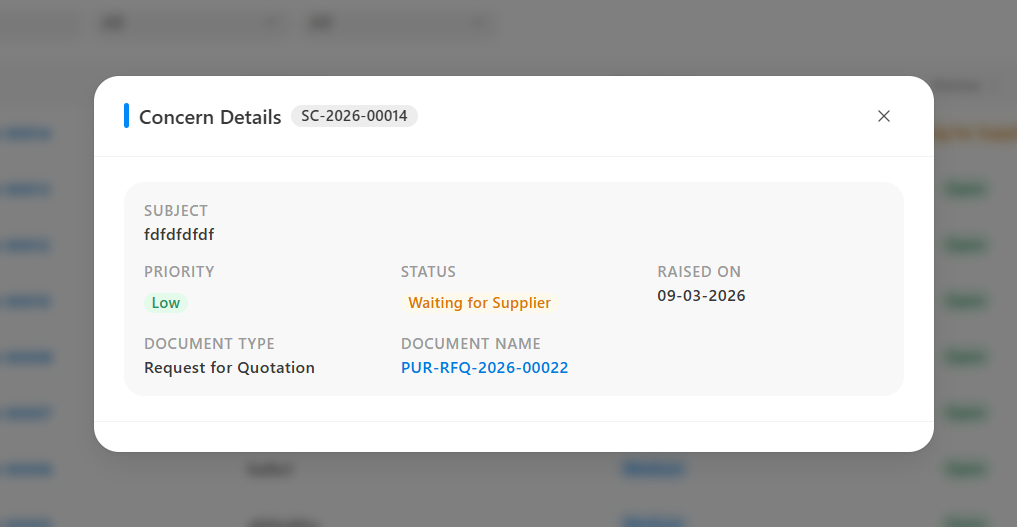
Clicking on any Concern opens the Concern Details modal.
This modal provides a complete view of the concern and its linked document.
Concern Header
Displays the unique concern reference number.
Concern Information
- Subject → Title of the concern
- Priority → Low / Medium / High
- Status → Current state
- Raised On → Submission date
Document Details
- Document Type → Linked document type:
- Purchase Order
- Purchase Invoice
- Request for Quotation
- Supplier Quotation
- Payment Entry
- Document Name → Reference number → Click to view full document
Raising a Concern
Concerns can be created in two ways:
Method 1 — From Concern Module
- Go to Concern page
- Click + New Concern
- Fill details:
- Subject
- Priority
- Document Type
- Document Name
- Description
- Submit
Method 2 — From Any Document
- Open any document (PO, Invoice, RFQ, etc.)
- Click Concern
- Document details auto-filled
- Enter subject and description
- Submit
Concern Statuses
Open
- Newly created
- Awaiting team response
In Progress
- Being reviewed by the team
Waiting for Supplier
- Requires supplier response
Resolved / Closed
- Issue fully resolved